From code to deploy in 30 minutes 🚀
This playbook helps you quickly deploy your first application to the developer platform.
By the end of this session, you will have:
- Access to IDP
- Your code packaged as a container
- Deployed via GitOps with visibility in ArgoCD
- Monitoring via Prometheus, logging via Loki, and visualization in Grafana
- You comply with the platform’s security requirements
- You are ready to use IDP in your daily work
🚨 The examples use
Politiken-specific domains and variables.
Make sure to replace all values with values relevant to your own organization.Example:
https://github.com/Politiken→https://github.com/jppol-idp
⏱️ Prerequisites
Before you begin, make sure you have the following in place:
- Access to your code repository, e.g., https://github.com/Politiken
- Access to your IDP deployment repository, e.g., https://github.com/jppol-idp/apps-pol (access management)
- Access to your onboarding channel on Slack
#idp-TEAM-onboardingand#idp-announcements - Access to IDP tools, e.g., https://argocd.pol-test.idp.jppol.dk, https://grafana.pol-test.idp.jppol.dk
- Docker or similar installed
🪛 Step-by-Step: Deploy Your First Workload
1. 📁 Create an app in your code repository (se example https://github.com/jppol-idp/generic-service)
Tip: Name the app after yourself to make it easy to identify.
mkdir app-name && cd app-name
echo 'print("Hello, IDP!")' > app-name.py
Add a Dockerfile:
FROM python:3.11-slim
WORKDIR /app-name
COPY app-name.py .
CMD ["python", "app-name.py"]
2. 🐳 Build and optionally test your image locally
docker build . -t app-name.py:0.1.0
docker run app-name.py:0.1.0
3. Upload your image to the IDP ECR repository
🚨 You typically don’t have permission to upload images directly — but your GitHub organization does.
This GitHub Action tags and pushes your image to ECR in our idp-shared account: 354918371398 https://github.com/jppol-idp/tag-and-push-ecr/blob/main/action.yaml
uses: jppol-idp/tag-and-push-ecr@836010204ce0af876873b46acb7f4cd452d4e2eb
namespace: pol
image_tags: $
The ECR repository allows GitHub Actions from your organization to upload images to a namespaced registry. For instance, Actions from Politiken’s organization is allowed to push images to: arn:aws:ecr:eu-west-1:354918371398:repository/pol/*.
For an example on how to use it, view the generic-service source repository.
Automatic deployment
The ECR repository uses immutable tags, meaning you can’t use latest as a tag for your images.
But, the IDP cluster can update to the latest version of the images built, optionally limiting to tags matching certain SemVer or Regex patterns.
This feature is enabled in application.yaml with a set of annotations. Enabling this feature will limit the need to modify the deploy repository, as you only need to modify it in case of entirely new deployments or when tweaking the configuration. You can read more about auto updating images here.
4. Create deployment configuration
Prepare a Helm chart in the deploy repo: https://github.com/jppol-idp/apps-pol
git clone https://github.com/jppol-idp/apps-pol.git
cd apps-pol/apps/pol-test
mkdir app-name
A deployment typically consists of two files:
application.yaml - describes the Helm chart:
apiVersion: v2
name: app-name
description: my first idp app
version: 0.1.0    # <-- version af deployment definition

helm:
  chart: helm/idp-advanced
  chartVersion: "3.1.2"    # <-- version af helm chart
The chart helm/idp-advanced refers to jppol-idp/helm-idp-advanced
values.yaml- defines deployment-specific variables:
image:
  repository: 354918371398.dkr.ecr.eu-west-1.amazonaws.com/pol/app
  pullPolicy: IfNotPresent
  tag: "0.1.0"
You can go here and find a list of all configurable variables or find the generic service in apps-demo for a more complete example that covers most common needs.
5. 📦 Commit and push to your GitOps repo and see deployment in ArgoCD
After committing your chart.yaml and values.yaml files to your “apps-pol” github repository deployment will start.
Check in ArgoCD if your app has been synchronised and deployed and a certificate been issued.
Go to ArgoCD for deployment https://argocd.pol-test.idp.jppol.dk
6. Confirm log output in Grafana
Metrics are automatically exposed with Prometheus and Loki and are visible in Grafana.
Go to Grafana for monitoring (https://grafana.pol-test.idp.jppol.dk)
Go to drilldown to see your Prometheus stats 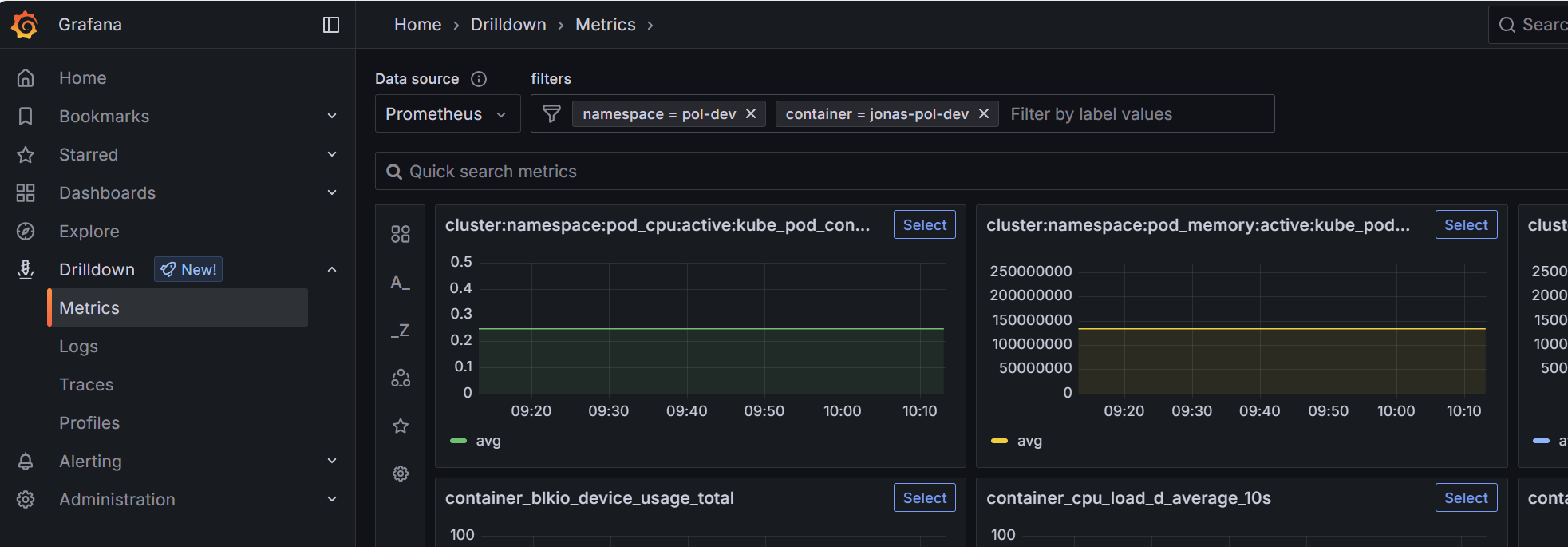
Go and drilldown and filter your logs with Loki 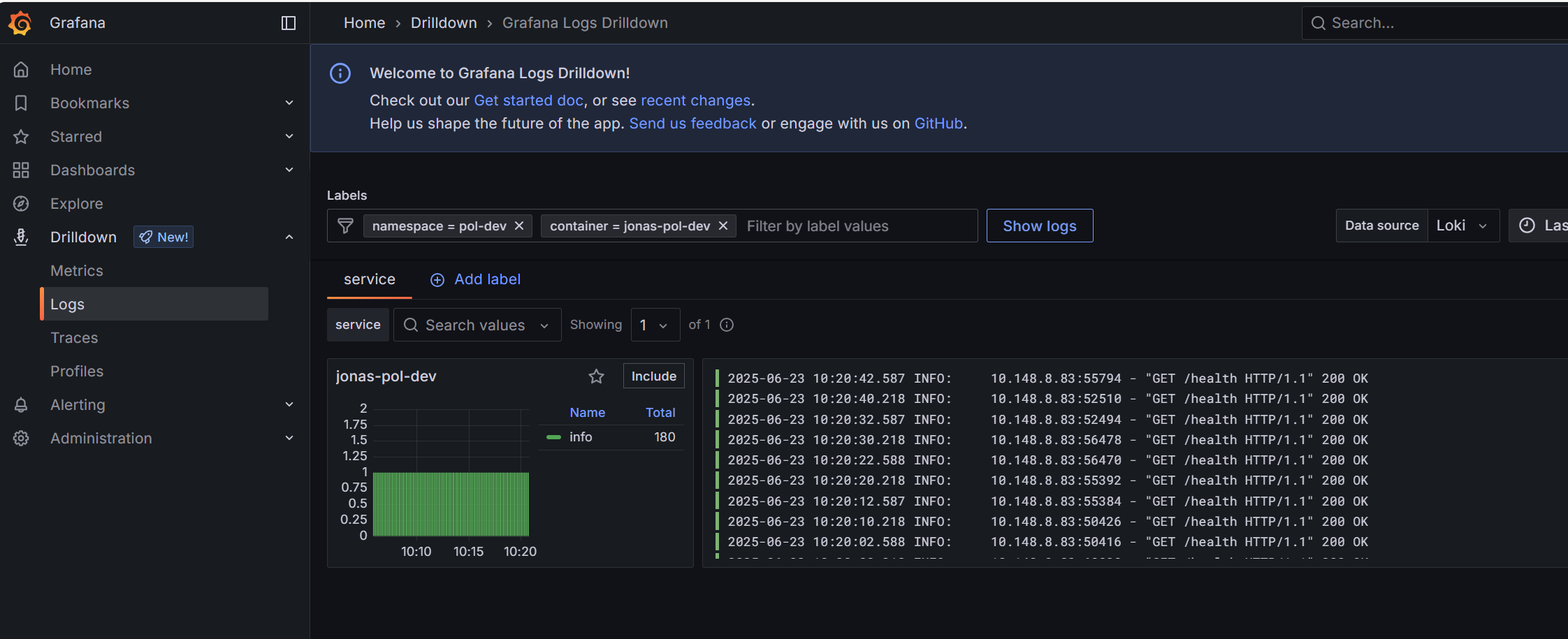
7. 🏁 Congratulations
You’re now up and running! 💪
You are always very welcome to ask questions in your onboarding channel on Slack - we’re happy to help!
Also, feel free to explore our FAQ for answers to frequently asked questions and onboarding guidance.
Last updated: 2025-06-23